Spelling you don't have to fix
Fuzzy matching scored by how much of your search a candidate actually covers, so a near-match wins and a coincidence doesn't.
Every console, one library. Quest Chronicle keeps your whole collection in order and keeps an honest record of what you actually play — not just what you meant to.
Coming soon to the App Store · See how it logs itself →
Eight themes, each in light and dark. Real screenshots. Hover to pause, tap one to see it full size.
A library you have to keep up with is a chore.
One that keeps up with you is a record.
A library you cannot recognise at a glance is a list, not a library. Quest Chronicle pulls box art automatically, matching on what you typed rather than on what you should have typed, so "Froze Horizon 4" still finds Forza. When one source has nothing, it asks another.
Fuzzy matching scored by how much of your search a candidate actually covers, so a near-match wins and a coincidence doesn't.
Import a whole library from a CSV. Duplicates are caught on the way in, including the same game spelled two different ways.
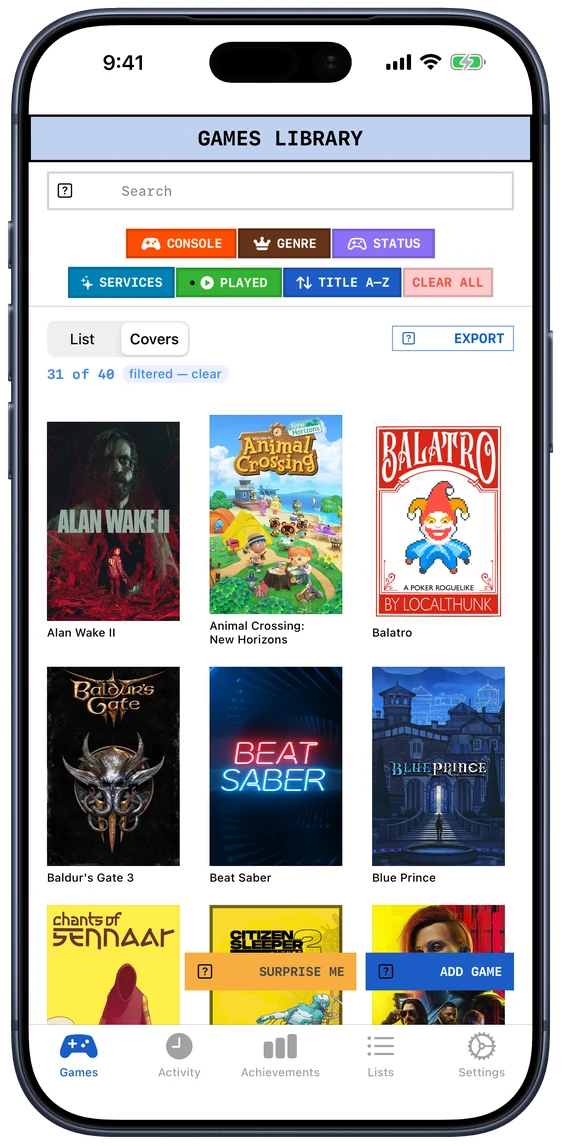
Names and status while you're organising; a wall of box art when you're deciding what to play. Same games, same filters, different shape.
iCloud sync between Mac, iPhone and iPad, continuously, with no Sync button to remember to press.
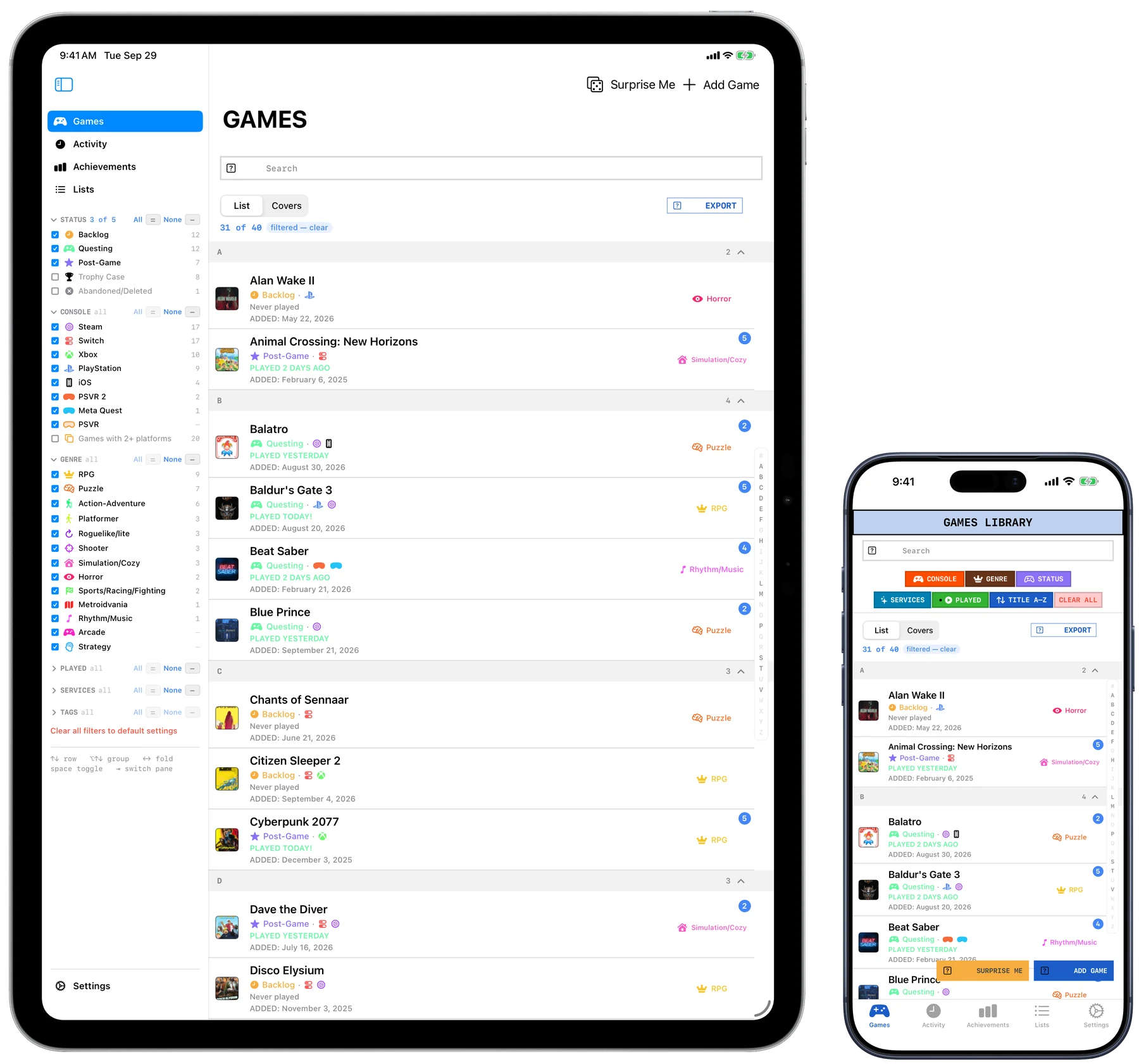
Filter by console, genre, status, subscription or tag. Jump to a letter with the A–Z rail. It was built against a real library of nearly four thousand games.
Not a score out of ten. Where the lines fall is yours: for one person Trophy Case means one hundred per cent, for another it means "finished, and done with it". The app makes one move for you: log a session and a game leaves the Backlog by itself.
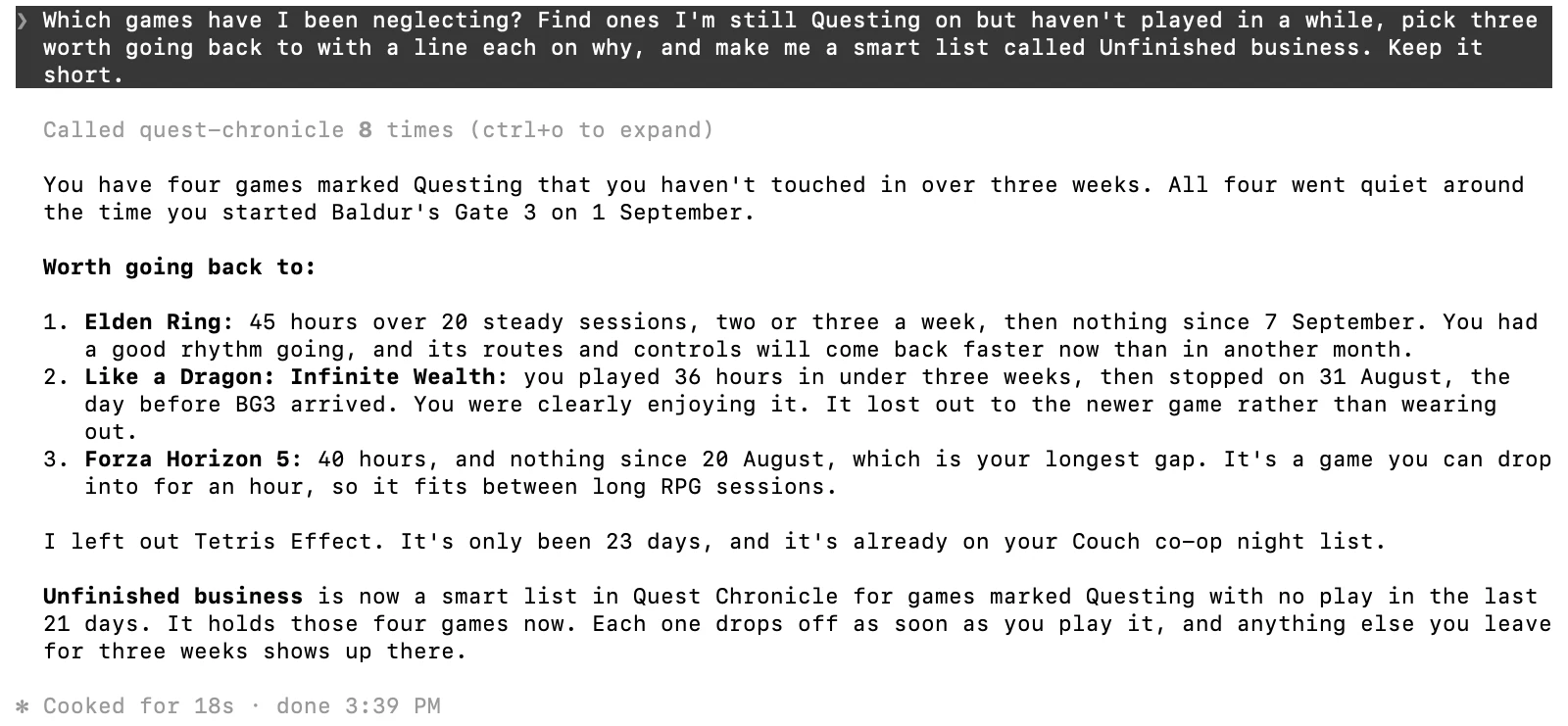
Make one by hand, for a couch co-op night or the games to finish before a sequel lands. Or give it rules and it fills itself, and checks again every time the library changes: start a Switch game and it leaves "Switch backlog" without being told.
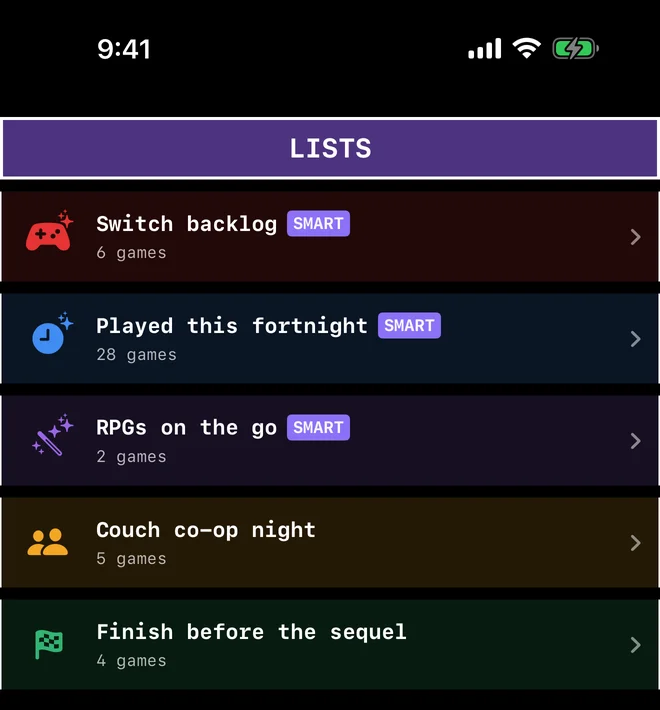
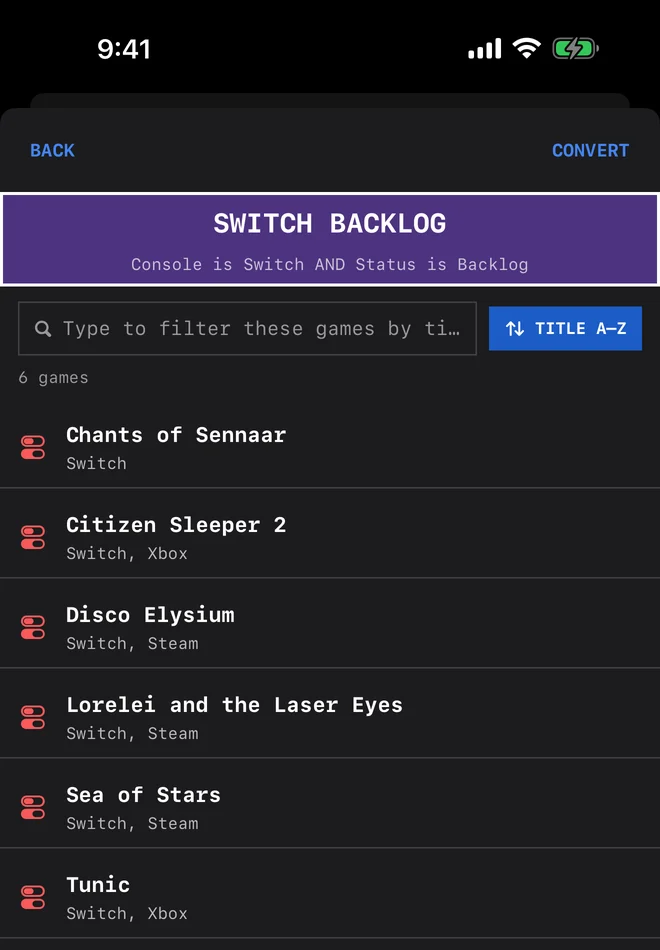
With Apple Intelligence, type "short roguelikes on Switch I haven't played" and it writes the rules, which you check and change before saving.
Pin up to five lists to the sidebar on Mac and iPad. A list pinned on one device is pinned on the others.
Turn a smart list into an ordinary one whenever you want to stop it changing, and keep the games it had.
A session is the app's record that you sat down with a game. Log it from the game's page, from a quick search that's one shortcut away, from Siri, or straight from your Home Screen without opening the app at all. Add a line about what happened if you want to. You don't have to.
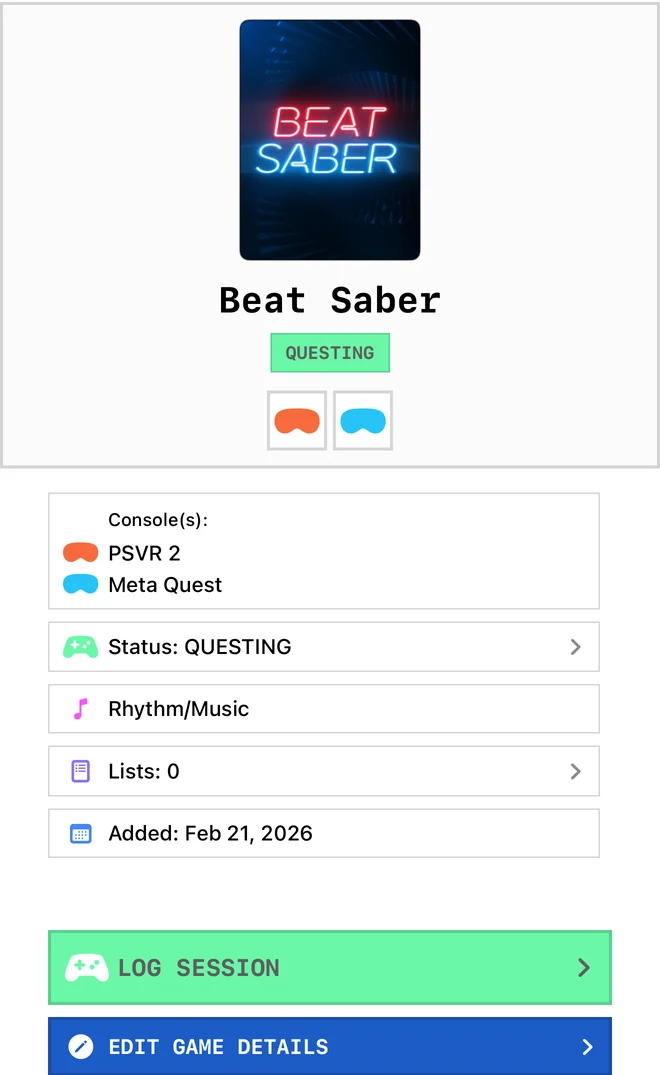
Open a game and Log Session is the first thing your thumb finds. Tap it, add a note if you want one, done.
Or skip the app entirely: the iPhone widget logs a game in one tap from your Home Screen, and Siri does it from a sentence.
The iPhone widget logs a session in one tap without opening the app. Small, medium or large, and you choose which games it shows.
⌘⇧L opens a quick log: type a few letters, pick the game, done. In the library, ⌘L logs the game you're on.
Each session can carry a note about what you beat or where you got stuck, and the Activity tab keeps every one of them in order.
The first session takes a game out of Backlog and into Questing, because playing it proves you started.
It checks every few minutes, and when it sees you've been playing something already in your library it writes the session itself, with how long it lasted. One evening is one session, however many times it looked.
Steam talks to Valve directly, with your key kept on your device. Xbox goes through xbl.io, an independent service you sign into yourself, because Microsoft offers no other way in. Either way nothing passes through a server of ours, which is also why there's nothing to cancel.
"Hey Siri, log Hades in Quest Chronicle." Name the game in the same breath and the app never has to open.
Every figure is built out of sessions that happened, not out of a score you gave something once. What you finish and what you abandon. Which consoles and genres really get played, as against the ones you keep buying for.
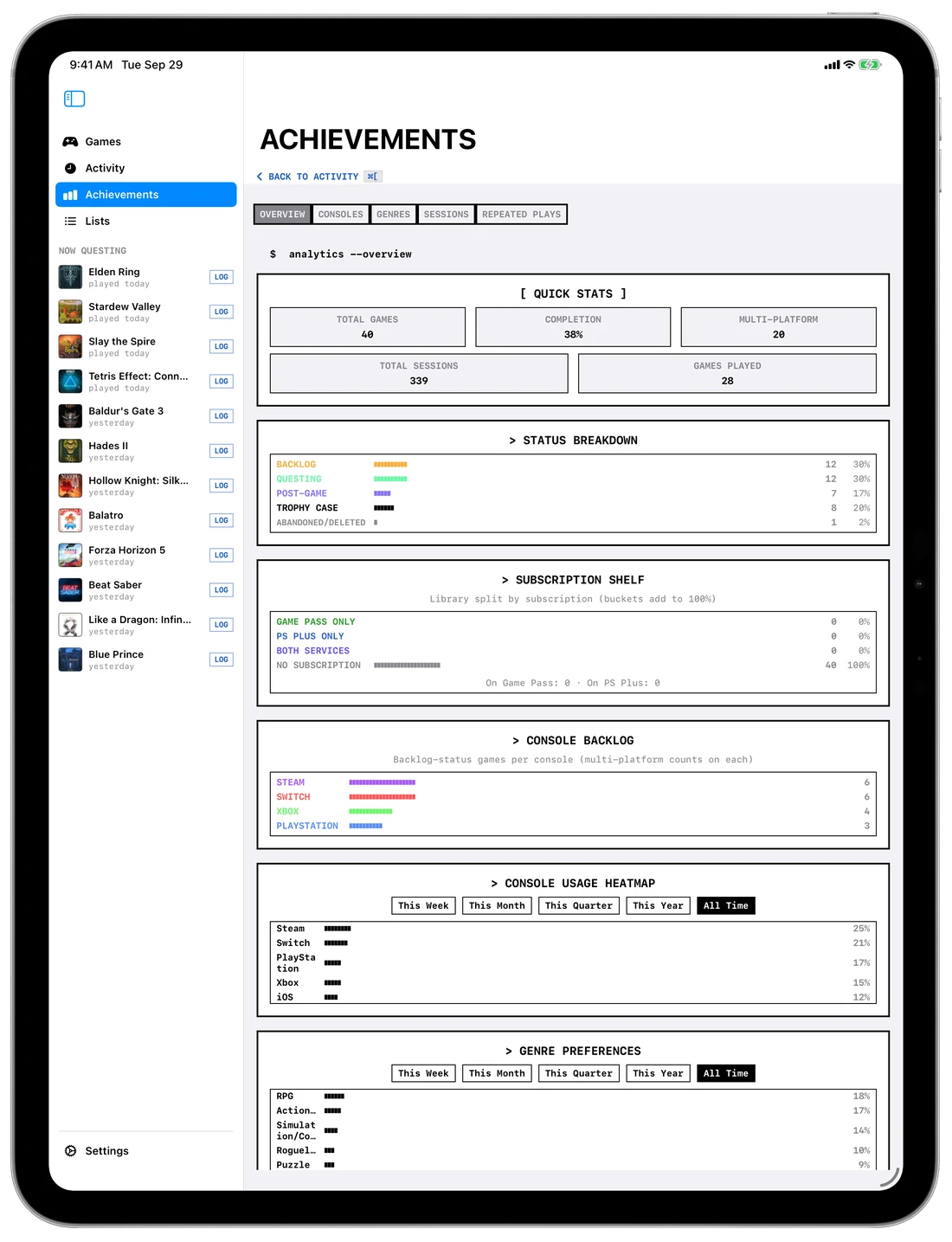
The status breakdown, a backlog for each console, a heatmap of what you played when, and which genres you really reach for — laid out together, so the pattern is visible rather than something you assemble in your head.
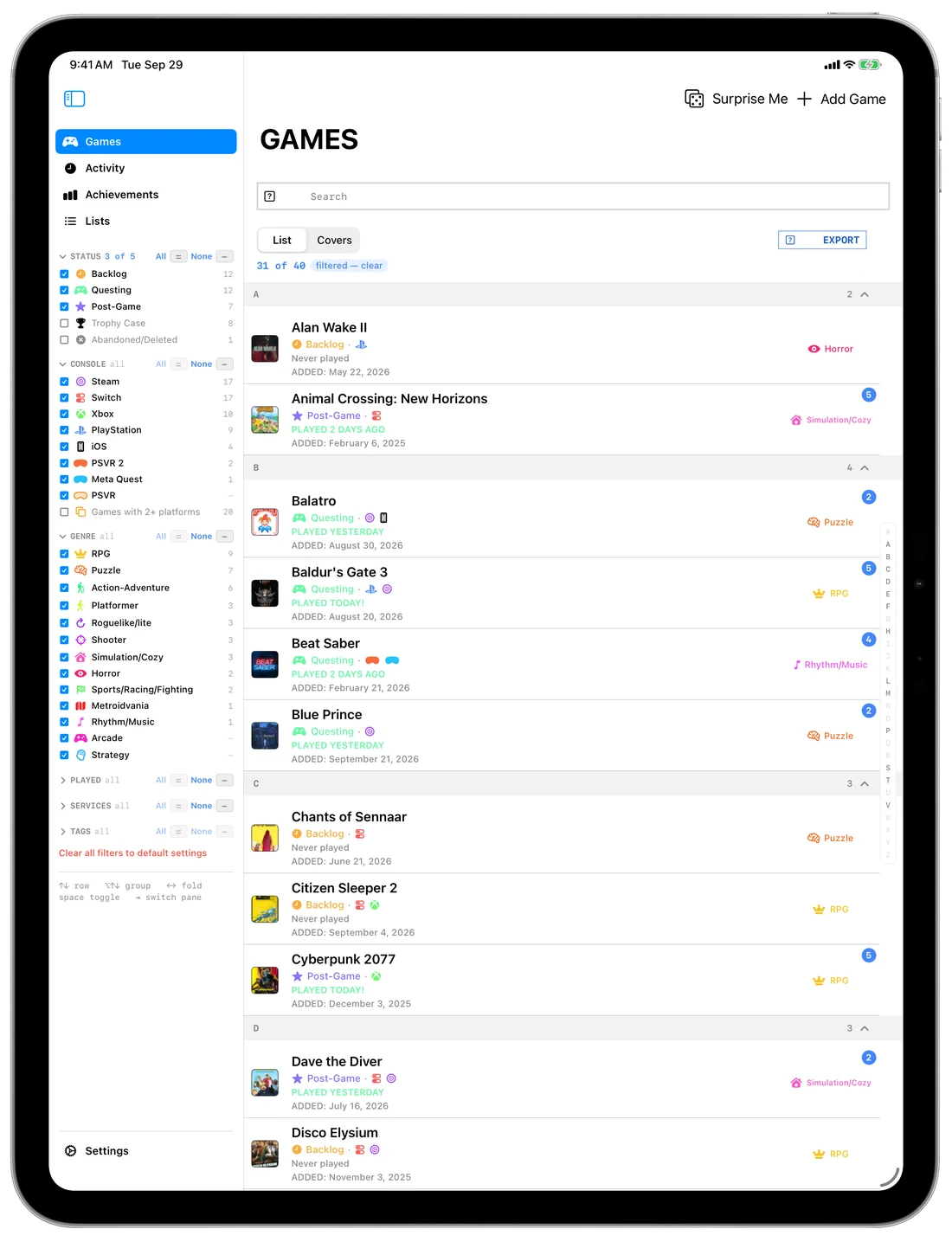
Given the width, the iPad doesn't show the phone's app made larger. It shows the desktop one: your filters down the side, the library in the middle, and the game you picked beside it rather than on top of it.
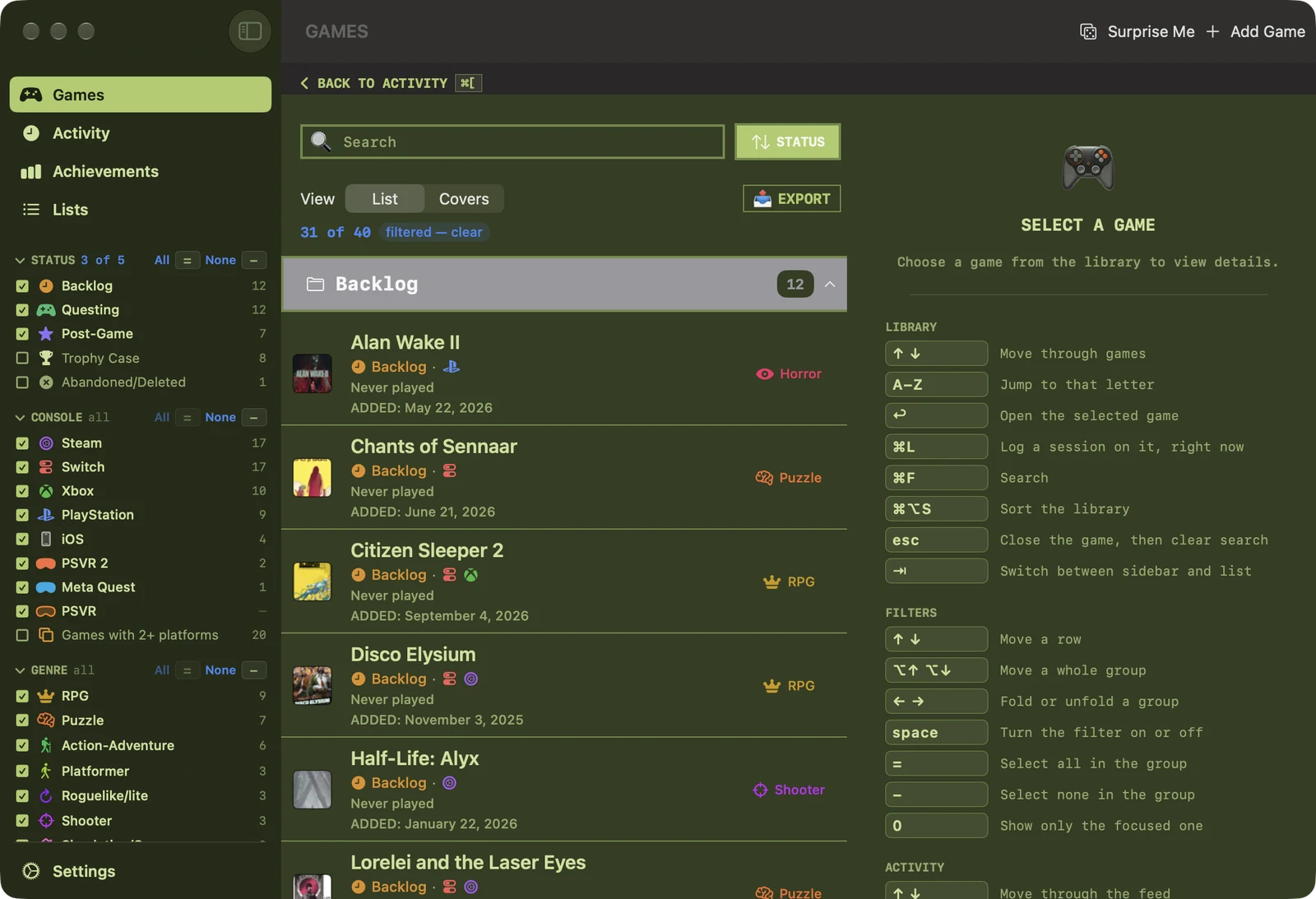
Attach a keyboard and every shortcut below works there too. Split View and Stage Manager both behave — the library narrows to the single-pane layout and keeps going.
A list of several thousand rows you can only drive with a mouse isn't a library, it's an endurance test. Every action has a key, and every key is published in a guide beside the list rather than buried in a menu.
On the Mac, Quest Chronicle connects to Claude, Codex and other AI apps. Ask what you've played most this month, which short Switch games you've never started, or to log last night's two hours of Hades II, and it answers from your own library and sessions.
It can read, log sessions, change statuses, add and tag games, and build lists and smart lists for you. Every change goes through Quest Chronicle, so it syncs like one you made and can be undone, and nothing it does can delete anything. Setup is one line, copied from Settings.
No analytics, no crash reporting, no advertising, no profile built about you, nothing sold or shared. Your games travel between your devices through your own Apple account and nowhere else.
The privacy policy says the same thing at length, and it was written by reading every network call in the source rather than from memory.